
EasyLink
Stream your DAW audio to any phone over WiFi, in real-time, with ultra-low latency. No app needed. Just scan a QR code.
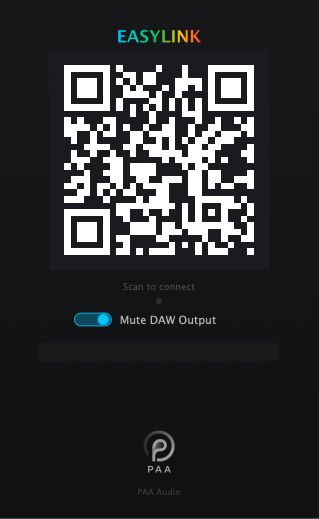
Ever wanted to check your mix on a different speaker without bouncing? EasyLink lets you stream your DAW output directly to any phone browser. Load the plugin, scan the QR code, tap play, done.
EasyLink uses raw float32 PCM over WebSocket, no lossy compression, no codec artifacts. What leaves your DAW is exactly what arrives on the phone. The adaptive jitter buffer continuously measures your WiFi conditions and adjusts for the best balance between latency and stability.
Built-in Mute DAW Output lets you listen exclusively through the phone, perfect for checking how your mix translates to phone speakers, earbuds, or Bluetooth headphones without your monitors interfering.
Why EasyLink?
- ·Zero setup for listeners: QR code scan, no app, no account
- ·Float32 lossless audio: no compression, no quality loss
- ·Adaptive buffer: automatically optimizes for your WiFi (~25-45ms latency)
- ·Multiple listeners: share with bandmates, clients, anyone on the same WiFi
Perfect for:
- ·Checking your mix on phone speakers / earbuds
- ·Letting clients listen in on a session remotely (same WiFi)
- ·A/B-ing your mix while walking around the studio
How It Works
Insert EasyLink
Load as the last plugin on your master bus.
Scan QR Code
Open your phone camera and scan the QR code shown in the plugin.
Tap to Listen
Hit play in the browser: your DAW audio streams to your phone in real-time.
System Requirements
macOS
macOS 10.15+ · Apple Silicon or Intel
VST3, AU, AAX, Standalone
Windows
Windows 10+ · 64-bit
VST3, Standalone
Linux
Ubuntu 20.04+ / Fedora 34+ · 64-bit
VST3
Phone & computer must be on the same WiFi network.
Download
Free forever: no license key, no payment. Just a free account, so we can let you know about updates.